Full Details: Privacy
- Standard Workstation Diagnostic: Free for life (limited)
- Advanced / Max Workstation Diagnostic: Full Access only 4.99$ / month 30 days trail
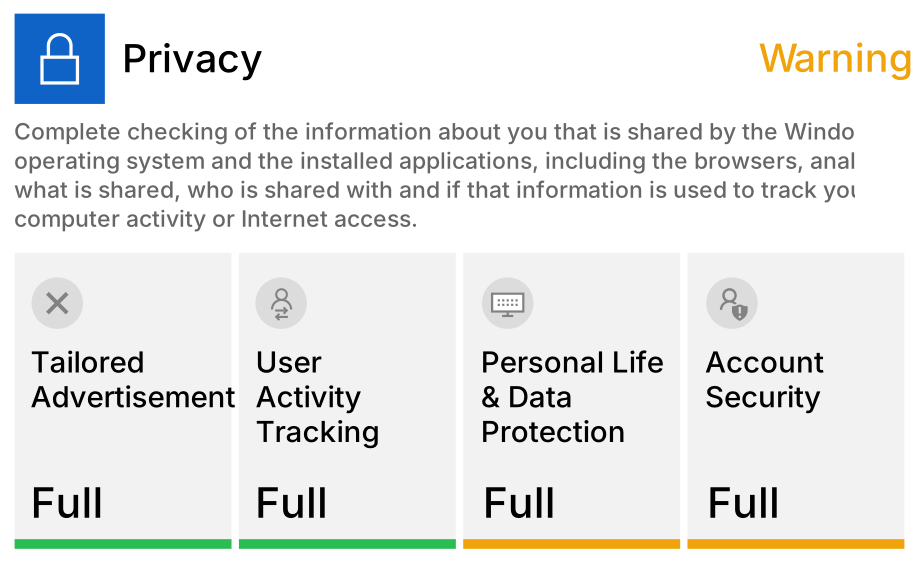
Standard Checking
Workstation Diagnostic Details
Tailored Advertisement
Windows version validation and operating system updates checking.
User Activity Tracking (Pass)
Applications open to exploitation by targeting weaknesses or software gaps in order to gain unauthorized access or compromise your system.
Personal Life & Data Protection
Applications that may display unwanted advertising or may just come bundled by your system.
Account Security (Warning)
Files that we cam remove in order to free up some space on your computer.
Advanced Checking
Workstation Diagnostic Details
Restrict apps from accessing documents folder (ON)
If allowed, the OS and installed apps will be able to read and modify your data inside these personal folders.
Apps restriction for sending diagnostic information (OFF)
Diagnostic data about your computer will be gathered by apps and send back to software developers to further improve their app.
Restrict apps from controlling your device radios (ON)
Radio functionality may be used by apps to send or receive data using Bluetooth or other features.
Restrict apps from accessing notifications (OFF)
Apps that have access to notifications can read, edit and post to your desktop notifications.
Apps restriction for accessing your videos folder (ON)
When these settings are turned on, apps can access your document library or the pictures and videos on your device.
Disable Automatic files download (ON)
When you use an online storage provider such as OneDrive to store online-only files and some Windows apps might download these files automatically without your consent.
Block Cortana’s ability to automatically respond (ON)
Block Cortana from responding to “Hey Cortana”. This feature allows you to activate the digital assistant by voice and use it, this means your microphone will always be on and waiting for the key words to activate Cortana.
Stop Windows 10 start menu suggested app ads (OFF)
Windows 10 shows suggestions and tips related to new Windows 10 features, recommended Windows Store apps (such as Candy Crush Soda Saga, Twitter, Minecraft, etc.) in All Apps and Start Menu.
Block Cortana from working when device is locked (ON)
Cortana is set to listen out for commands at all times, even when your computer is in lock screen by disabling this setting, you can correct this privacy vulnerability.
Block Windows from collecting Diagnostic data (OFF)
As you use Windows, Microsoft will collect diagnostic information, along with information about the websites you browse and apps and features you use.
Max Checking
Workstation Diagnostic Details
Block Apps from accessing your camera (ON)
Apps can access the built-in camera in laptops and tablets, or an external webcam that you’ve plugged in without your consent.
Disable app access to your Microphone (OFF)
If allowed, the OS and installed apps will be able to read and modify your data inside these personal folders.
Disable apps access to your Pictures (ON)
If allowed, the OS and installed apps will be able to read and modify your data inside these personal folders.
Disable Intel Telemetry (OFF)
Data about your computer's hardware is collected by Intel to improve their products.
Disable AMD Telemetry (OFF)
Data about your computer's hardware is collected by AMD to improve their products.
Disable Nvidia Telemetry (ON)
Data about your computer's hardware is collected by Nvidia to improve their products.
Enable "Do Not Track" Requests in Microsoft Edge (OFF)
Microsoft Edge will send Do Not Track requests to websites when the Send Do Not Track requests setting is turned on. Many websites, and the third-party content they host, track your browsing behavior, such as the links you click, the pages you visit and the products you buy.
Disable Lock Screen Notification(OFF)
Lock screen shows notifications from installed apps. You may want to disable them for your own privacy and safety.
Sync Settings (ON)
When Sync settings is turned on, Windows syncs the settings you choose across all your Windows 10 devices that you've signed in to with your Microsoft account.