Full Details: Health
- Standard Computer Diagnostic: Free for life (limited)
- Advanced / Max Computer Diagnostic: Full Access only 4.99$ / month 30 days trail
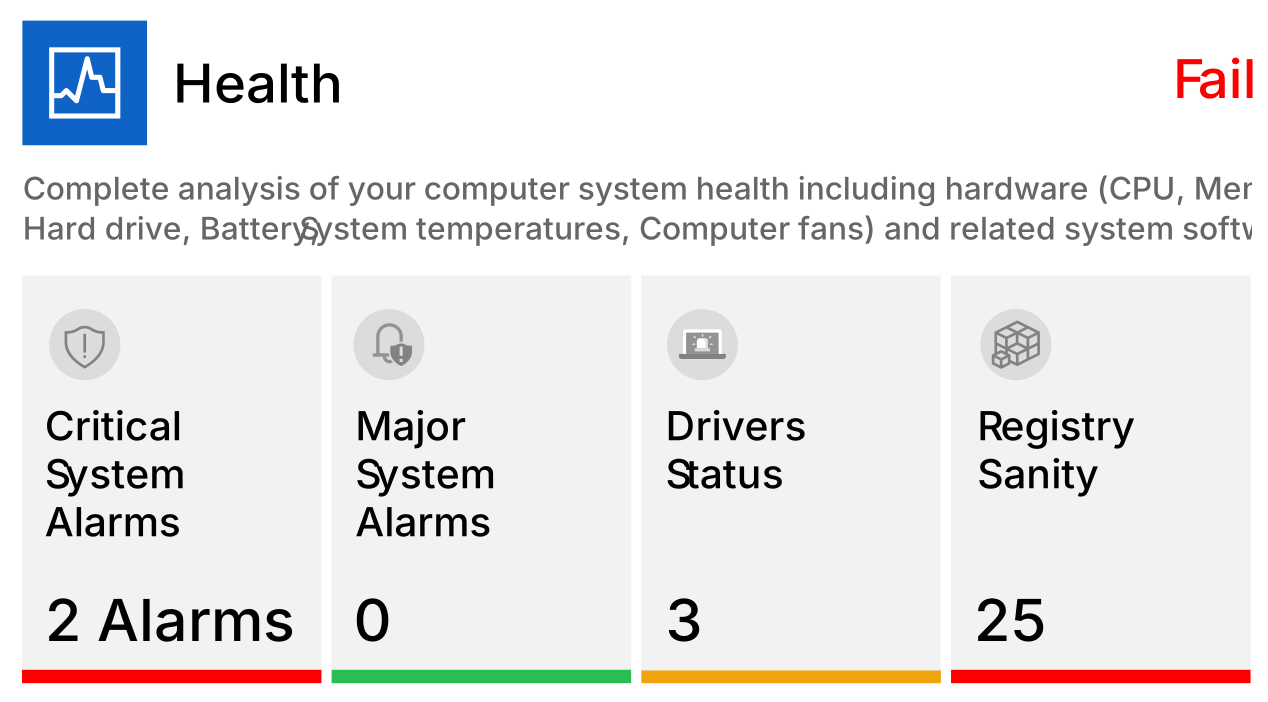
Standard Checking
Workstation Diagnostic Details
Critical System Alarms (1)
Hardware problems that may affect the normal functioning or stability of your computer.
Major System Alarms
Speed-up the boot time of your system by removing applications that load at startup.
Driver Status
System drivers issues that may affect the normal functioning or stability of your computer.
Registry Sanity
Scan the system registry for invalid entries and empty data blocks.
Advanced Checking
Workstation Diagnostic Details
Application Security issues (ON)
An application vulnerability is a system flaw or weakness in an application that could be exploited to compromise the security of the application.
File History (ON)
File History takes snapshots of your files as you go and stores them on an external hard drive either connected over USB or your home network.
Hibernation (OFF)
The hibernation feature will in time slowly fill up your hard disk space. Hibernation saves your current session to your hard drive and then shuts the system down.
Office Applications Crashes (OFF)
Check and review office crashes, related issues and critical errors logs.
Other backup applications (OFF)
Other Backup software installed on your computer apart from backup solutions provided by Windows.
Shadow Copy (OFF)
Technology included in Microsoft Windows that can create backup copies or snapshots of computer files or volumes, even when they are in use.
Swap Settings (ON)
When the system runs low on RAM memory, Windows will use a part of the storage drive as RAM memory.
System Restore (ON)
System Restore allows you to undo system changes that may be causing problems by reverting to a system restore point.
Windows Backup status (ON)
Checks if there are issues with Windows updates and software distribution.
Windows Minor updates (ON)
Check is your system is missing minor updates and bug fixes provided by Microsoft.
Max Checking
Workstation Diagnostic Details
Drive Encryption (OFF)
Disk encryption converts your disk information into unreadable code that cannot be deciphered by unauthorized people.
OneDrive backup status (ON)
Backup your documents, pictures and desktop folders to OneDrive to ensure that your important folders are back up in the cloud service.
Outdated Applications (OFF)
Applications need to be up to date so that your computer is not vulnerable.
Registered Email Account Breach (OFF)
Check if your e-mail account that has been compromised in a data breach.
Remove Malicious Browser Addons (OFF)
Some of the browser addons may harm the computer the malicious ones will be removed.
Review and resolve application crashes (ON)
Computer programs can crash or behave unusually for a multitude of reasons, most often due to an error in the program, your operating system or your drivers.
Enable "Do Not Track" Requests in Microsoft Edge (OFF)
Microsoft Edge will send Do Not Track requests to websites when the Send Do Not Track requests setting is turned on. Many websites, and the third-party content they host, track your browsing behavior, such as the links you click, the pages you visit and the products you buy.
Setup Data Backup Process (OFF)
-